Uncategorized

Entrian Source Search 1.8.4: Fixes for High DPI displays and more

I’m pleased to announce the release of Entrian Source Search 1.8.4, which fixes these bugs with High DPI displays:

  • Paint the incremental search text and the Partial Results warning in the right place on High DPI monitors. Thanks, Joe and Brett.
  • Scale the busy spinner with the DPI.
  • The Search box no longer gets too narrow. Thanks, Juan.
  • The tab control is now always the full width of the window.
  • The Welcome dialog no longer has layout glitches. Thanks, Brett.
  • The initial hint that suggests docking the window no longer has layout glitches. Thanks, Brett.

…and fixes these other bugs:

  • Don’t crash when loading a missing / empty / corrupt search history file. Thanks, Ian.
  • Fixed occasional “Package did not load correctly” errors under Visual Studio 2022.

…and adds these features :

  • Added Ctrl+Shift+F4 shortcut to close all tabs. Thanks, Jenson.
  • Added an ‘Open All Files in Visual Studio’ command to the results list context menu. Thanks, Eddie.

You can download this new release from the download page or from the Visual Studio Marketplace.
Support for Visual Studio 2022 in all Entrian extensions

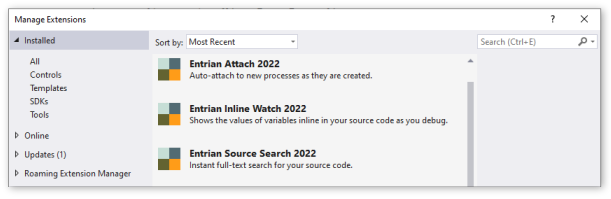
I’m pleased to announce new versions of Entrian Source Search, Entrian Attach, and Entrian Inline Watch, all of which now support Visual Studio 2022.

Entrian Source Search and Entrian Attach are shipped as single installers supporting all versions of Visual Studio from 2005 to 2022.

Entrian Inline Watch has three different versions, according to your Visual Studio version – see below.

Here are the new releases:

Entrian Source Search 1.8.2: Download / Marketplace.

Entrian Attach 1.5.1: Download / Marketplace.

Entrian Inline Watch 1.0.15: Download (all versions) / Marketplace (VS 2015-2019) / Marketplace (VS 2022).

Entrian Inline Watch 1.0.13: Suppress display for a type.

I’m pleased to announce Entrian Inline Watch 1.0.13, which adds one new feature:

  • You can specify an empty format definition in the Object Formats list to suppress the display of values for a given type. Thanks, David.

and fixes two bugs:

  • When pinning a popup window under a High Contrast theme, the pin icon is now clearly visible. Thanks, Martin.
  • Where the name of a type contains a space, eg. a C structure like struct _IO_FILE, you can now define an Object Format for it. Thanks, David.

You can download this release from here or get it from the Visual Studio Marketplace.